How the Hims affiliate program is presented on FlexOffers
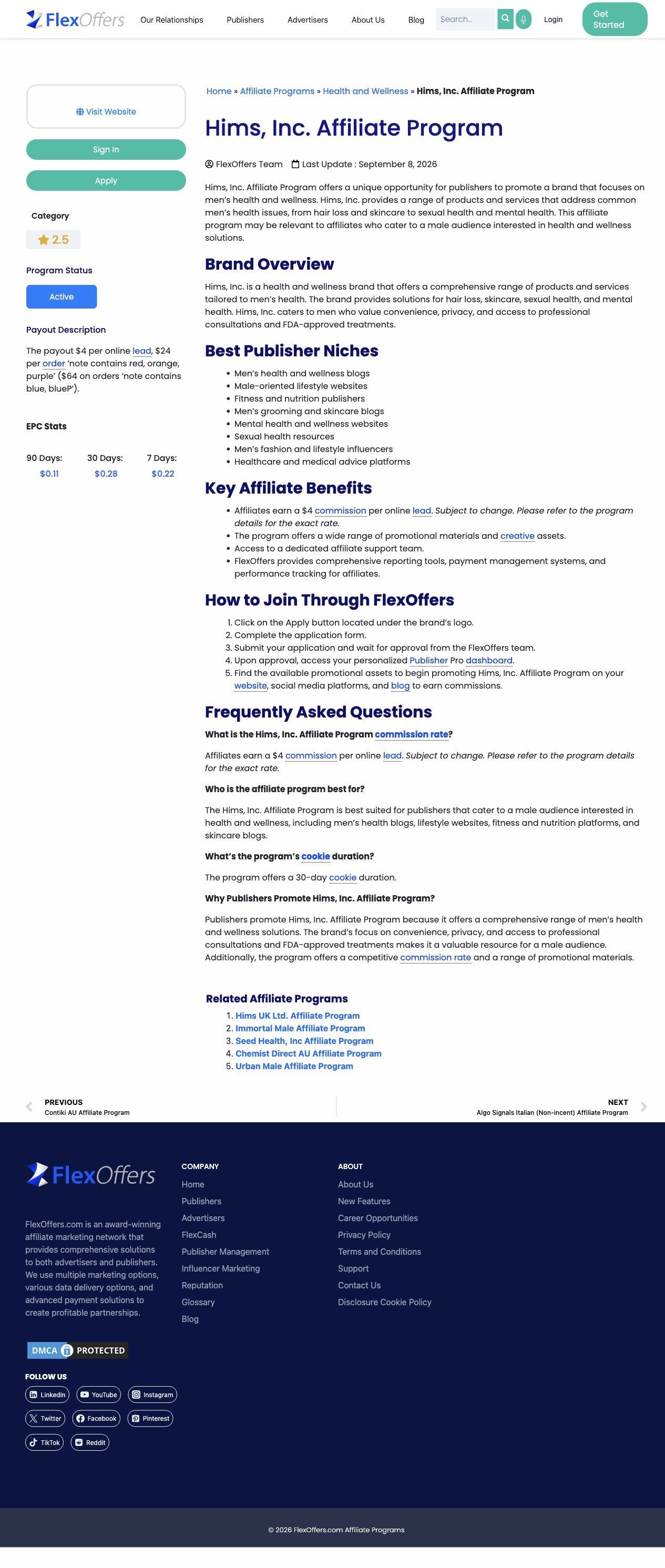
A public FlexOffers listing for the Hims, Inc. affiliate program, captured October 22, 2026 from the FlexOffers network site rather than a Hims-owned page. It runs top to bottom through program status, a payout panel, a brand overview, publisher niches and benefits, joining steps and an FAQ. No ad in the Fluid library sends people to it.

Public page captured October 22, 2026. Static reference with scripts, floating overlays and scroll locks removed. No application was entered or submitted. No linked ad was captured for this page. Public network-owned listing, not a brand-owned recruitment page.
Hims · Hims on FlexOffers
A public FlexOffers listing for the Hims, Inc. affiliate program, captured October 22, 2026 from the FlexOffers network site rather than a Hims-owned page. It runs top to bottom through program status, a payout panel, a brand overview, publisher niches and benefits, joining steps and an FAQ. No ad in the Fluid library sends people to it.
- Brand
- Hims
- Page type
- Partner program
- Ads leading here
- 0
- Captured
- Oct 22, 2026
- Destination
- flexoffers.com
Selected for its design and offer structure. Ad performance isn’t available in this collection.
What this page does well
The listing is easy to scan because it answers a publisher's questions in the order they come up. Program status and the network's Visit Website, Sign In and Apply buttons sit at the top of the sidebar, with the payout description right under them. The brand overview explains what Hims sells in plain terms before the Best Publisher Niches list tells a creator or site owner whether they're a fit. The How to Join steps then walk through the application in order, and an FAQ closes out the details.
How the page is built
- 01Program status and network actions
A sidebar with category, status and Apply, Sign In and Visit Website buttons answers whether the program is open and how to get in.
- 02Payout information panel
A short payout description under the status block answers what a publisher earns.
- 03Brand overview
A few paragraphs on what Hims sells and who it serves answer what the publisher would be promoting.
- 04Publisher niches and affiliate benefits
Bulleted lists of suitable site types and program benefits answer whether this publisher is a fit and what support they get.
- 05Joining instructions and FAQ
Numbered steps for applying through FlexOffers and an FAQ answer how to join and the remaining practical questions.
What's missing, in the order we'd fix it
- Everything on the page is text, with no examples of the creative or landing pages a publisher would actually promote. If you build a program page like this for your brand, show two or three ad examples and the pages they link to, so a creator can picture their own post.
- There's no proof that publishers do well with the program, such as a partner quote or a typical first-month example. Add one real partner story, with permission, near the payout panel.
- Because the listing belongs to the network, the brand has no say in its voice or offer. A brand-owned recruitment page with the same order (status, payout, fit, steps, FAQ) would let you add your own creator brief and bonuses.
How the ads set it up
No ad in the Fluid library sends people to this listing, which makes sense: it's built for publishers browsing a network, not for shoppers. The match that matters here is between the listing and the publisher's search. Someone looking up the Hims affiliate program lands on status, payout and fit in the first screen, so the page meets that intent directly.
What to borrow for your brand
- Order a partner-program page by the questions a publisher asks: is it open, what does it pay, am I a fit, how do I join.
- List the publisher niches you want by name (wellness blogs, grooming sites, fitness creators) so people can self-select before applying.
- Number the joining steps from click to approval so the commitment is clear before anyone applies.
Captured from flexoffers.com in October 2026 for the Fluid Inspiration Library. Offers and prices change; this is what the page showed when we captured it.