How Rare Beauty's shop-all page greets first-order ad traffic
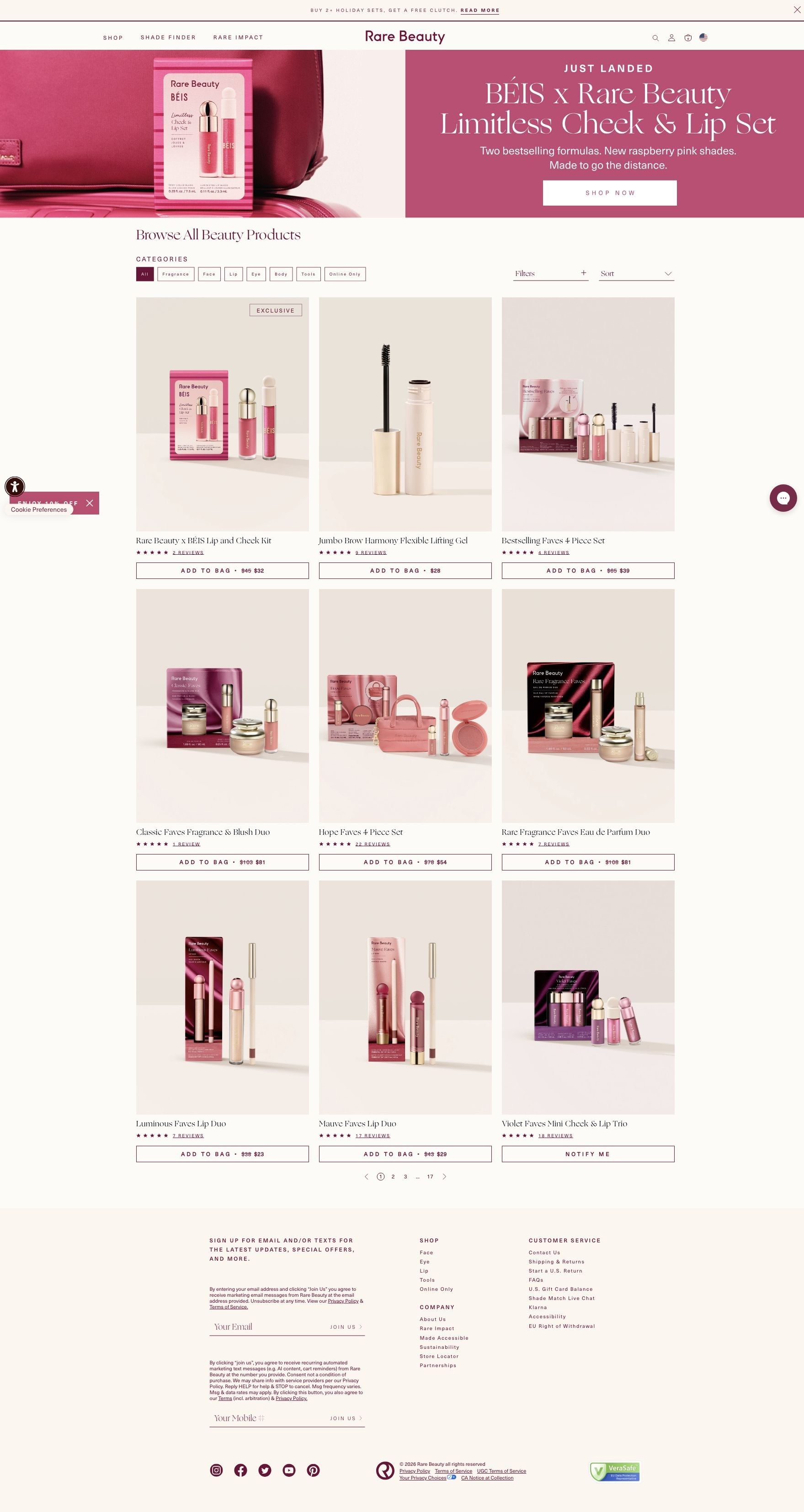
Rare Beauty's shop-all collection page: a banner for the BÉIS x Rare Beauty Limitless Cheek & Lip Set above a filterable grid of products and sets. Two Rare Beauty ads in the Fluid library send people here, both new-customer offers: 10% off a first $30+ order and a free Soft Pinch blush sample with code DELUXE.

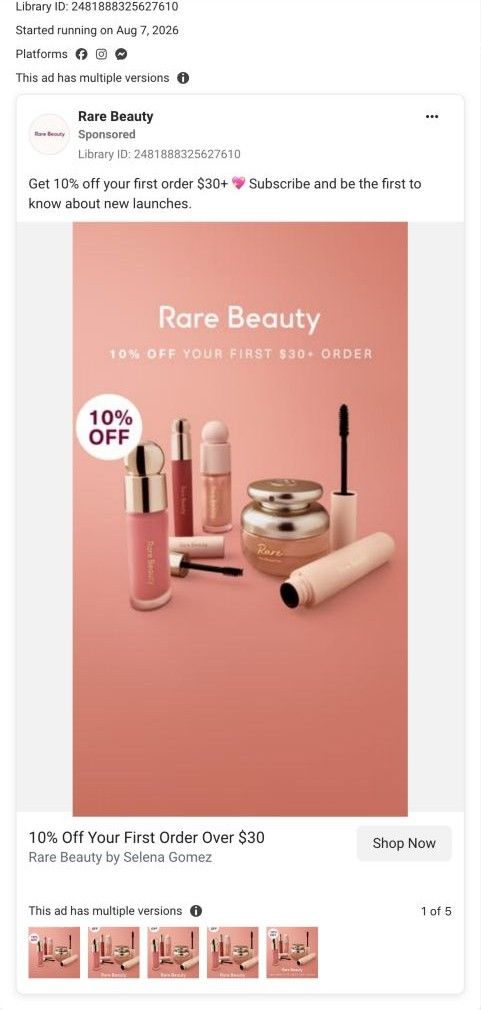
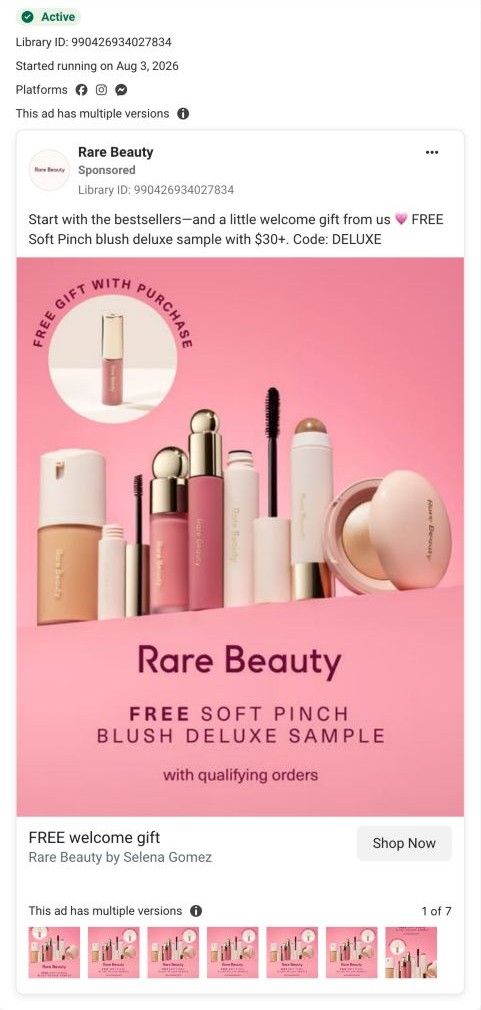
Creative, ad copy, and CTA link captured directly from Meta Ad Library on October 21, 2026. The linked destination was visited.
Shop all Rare Beauty
Rare Beauty's shop-all collection page: a banner for the BÉIS x Rare Beauty Limitless Cheek & Lip Set above a filterable grid of products and sets. Two Rare Beauty ads in the Fluid library send people here, both new-customer offers: 10% off a first $30+ order and a free Soft Pinch blush sample with code DELUXE.
- Brand
- Rare Beauty
- Page type
- Collection page
- Ads leading here
- 2
- Captured
- Oct 21, 2026
- Destination
- rarebeauty.com
Selected for its design and offer structure. Ad performance isn’t available in this collection.
What this page does well
The opening banner is a clear, attractive launch: a big product shot on the left and a raspberry panel on the right with "Just landed," the set name, a two-line explanation and a Shop Now button. The grid below makes savings easy to see, with crossed-out prices on most sets (the Bestselling Faves 4 Piece Set, for example) and an Exclusive tag on the collaboration kit. Category chips, filters and sort let a new visitor narrow a large range quickly.
How the page is built
- 01Announcement bar
A free-clutch offer with two or more holiday sets nudges a bigger order.
- 02Collaboration banner
A Just landed hero for the BÉIS x Rare Beauty set with a short explanation and Shop Now button introduces the newest launch.
- 03Heading and filters
Browse All Beauty Products with category chips, filters and sort lets people narrow the range.
- 04Product grid
Cards for sets, brow gel and lip duos show ratings and Add to Bag buttons with crossed-out prices, so savings are clear at a glance.
- 05Pagination and footer
Page numbers show the size of the range, and the footer offers email and SMS sign-up.
What's missing, in the order we'd fix it
- Neither ad's offer appears on the page. Add a slim welcome banner that repeats the 10% first-order discount or the DELUXE free-blush code, and says how to claim it, so the click feels connected.
- One ad tells people to start with the bestsellers, but the grid opens on sets and a collaboration kit. Link that ad to a bestsellers collection, or default the sort to bestsellers for that traffic.
- A first-time visitor gets no guidance on where to start. A short row of category entry points (face, cheek, lip) with a hero product in each would give new customers an easy first choice.
How the ads set it up
Both ads that land here are welcome offers: one promises 10% off a first $30+ order, the other a free Soft Pinch blush sample with code DELUXE. The page opens on a BÉIS collaboration launch and a holiday-sets clutch offer instead, so neither promise is repeated. The products are all available, but the shopper has to trust the offer will apply at checkout.
What to borrow for your brand
- Give a new launch a split hero (product photo plus a short panel with what's new and why) at the top of the main collection.
- Show crossed-out prices on set buttons so the savings sit right where people click.
- Repeat an ad's offer in a slim banner on the page it links to, with the code or the steps to claim it.
Ads that send people here
- How Rare Beauty uses a 10% first-order offer to open the whole range
- How Rare Beauty uses a free blush sample as a welcome gift
Captured from rarebeauty.com in October 2026 for the Fluid Inspiration Library. Offers and prices change; this is what the page showed when we captured it.